App Store Localization: A Practical ASO Workflow for 2026
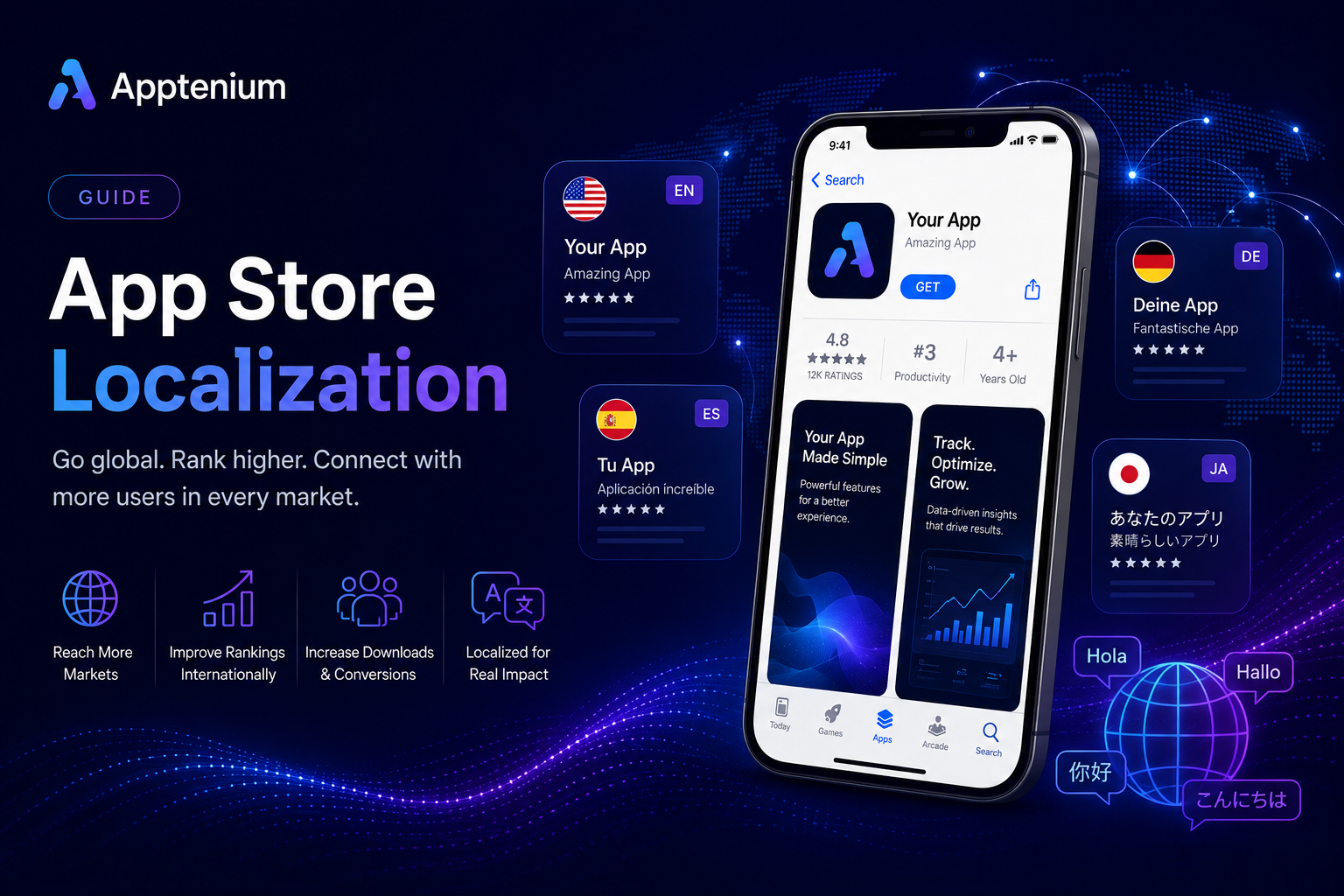
App store localization pays off when you treat every locale like a fresh keyword research project, not a translation job. Apps that map local search intent into store metadata typically see more relevant impressions and better install conversion than those that simply translate their English listing word for word.
Your immediate next step: pick 2 to 3 pilot markets and run per-locale keyword discovery before you translate a single string. Map what you find to the exact fields each platform indexes.
Build a semantic core for each pilot locale using autocomplete and competitor listings.
Cross-check field limits against Apple’s App Store Connect documentation and Google’s Play Console translation guidance.
Publish, then measure conversion before scaling to more markets.
Localization done this way, as market-fit work rather than blind translation, tends to expand keyword coverage and lift downloads in the new locale, according to AppFollow’s ASO localization research.
Table of Contents
How Do App Store and Google Play Localization Differ?
Apple and Google index your metadata differently, and that difference should dictate where you place your best keywords.
On the App Store, Apple gives you a dedicated 100-character keyword field that never appears to users but feeds search indexing directly. You set a primary language plus secondary locales in App Store Connect, and Apple determines which localization a customer sees based on device settings, App Store region, and your primary language configuration. There’s no separate long description field for indexing purposes, so your subtitle and keyword field carry more weight per character than on Android.
Google Play works differently. There’s no hidden keyword field. Instead, Google indexes your title, short description, and full description directly, so keyword placement happens inside the copy itself. Play Console also offers Custom Store Listings that target specific countries or acquisition sources with entirely separate creative, independent of language translation.
The strategic takeaway:
iOS: front-load high-value terms in the title, subtitle, and keyword field; save narrative selling for the description.
Android: weave keywords naturally into title, short description, and the first few lines of the full description, since all of it gets indexed.
Both: don’t reuse one keyword list across platforms unmodified. Field structure changes what “high priority” placement means.
Which Store Listing Elements Should You Localize First?
Not every asset deserves equal translation effort on day one. Prioritize based on what actually moves search ranking and conversion.
App name and title — your single highest-weight keyword field on both platforms.
Subtitle (iOS) or short description (Android) — second-highest search weight, and the first thing users read after the title.
iOS keyword field — invisible to users but essential for App Store search matching.
Full description (Android) — indexed by Google, so lead with the terms your semantic core surfaced.
Screenshots and captions — the biggest conversion lever once someone lands on your listing.
Preview videos — worth localizing captions or voiceover for markets with strong install volume.
In-app purchase names and descriptions — often skipped, but they directly affect revenue per locale.
Promo text, legal disclosures, and text baked into images matter less at launch. Handle right-to-left languages like Arabic or Hebrew by testing your layout early, since text expansion in languages like German can blow past character limits designed for English.
Pro Tip: For markets where you’re not fully confident in translation quality, ship text-free screenshots first. A confusing localized caption hurts conversion more than no caption at all.
Which Countries Should You Localize First?
Score every candidate market on three axes before committing translation budget.
Demand — check store autocomplete suggestions in the target language, and pull installs-by-locale from your existing analytics if you already have organic traffic there.
Friction — local payment methods, support language expectations, and any legal or content restrictions that could slow approval.
Strategic fit — language overlap with markets you already serve well, and whether early retention signals from that region look healthy.
Markets like Mexico, Brazil, Germany, and Japan get prioritized often because they combine large search volume with manageable friction, but demand signals for your specific category matter more than any generic list. Pull autocomplete data, cross-reference it against paid search impressions if you run Apple Search Ads, and start with a pilot of two or three locales rather than translating your entire listing into ten languages at once.
How Do You Build a Semantic Core for Each Locale?
A semantic core is a structured keyword list organized by search intent, not a straight translation of your English terms. Skipping this step is the single most common localization mistake: direct translation of keyword lists usually fails because search behavior varies by region even within the same language.
Structure your core in layers:
Head terms — the one or two words a user in that locale actually types to describe your app category.
Mid-tail modifiers — feature or use-case words that narrow intent, like “offline” or “family” variants.
Long-tail intent phrases — specific enough to convert but low competition.
Spelling and script variants — regional spelling differences and, where relevant, transliterations.
Collect this data from store autocomplete in the target locale, competitor storefronts in that market, a localized keyword tracker, and small-budget Apple Search Ads experiments that reveal which terms actually drive taps.
Once you have the list, map it deliberately. On iOS, your highest-value, highest-competition terms belong in the title and subtitle first, with overflow going into the 100-character keyword field, which Apple’s indexing model treats as a direct ranking input even though users never see it. On Android, since there’s no hidden field, weave your top terms into the short description and the opening lines of the full description, where Google’s indexing gives them the most weight.
Pro Tip: Never hand a translator your English keyword list and ask for a literal translation. Give them the semantic core with context, and let them find the phrase a local user would actually search.
How Do You Add and Publish Localized Listings?
Both platforms let you manage translations from a single console, but the workflow and cost structure differ enough to plan for separately.
Before you touch either platform:
Finalize your source metadata and lock the semantic core for each pilot locale.
Collect screenshots and short context notes for translators. Ambiguous strings without context produce bad translations even from skilled linguists.
In App Store Connect:
Open your app record and add a new localization under the app information section.
Enter the localized name, subtitle, keyword field, and description for that locale.
Upload localized screenshots and preview video captions.
Confirm your primary language setting, since Apple uses it as a fallback when a customer’s device doesn’t match any localization you’ve added.
Submit for review; localized metadata changes typically move through the same review queue as binary updates.
In Play Console:
Go to Grow > Store presence > Main store listing, then Manage translations.
Choose Create order for professional human translation, or use the built in machine translation option powered by Gemini for instant draft coverage.
Human translation through Play Console runs as low as $0.07 per word with fast turnaround, while machine translation is free but should get a human review pass before you publish.
Build Custom Store Listings for country-specific creative that goes beyond straight translation.
Use Store Listing Experiments to A/B test localized variants against your control before rolling out fully.
Stage your rollout: publish to one or two locales first, watch for review flags, then scale once you’ve confirmed the workflow holds up.
How Do You Test Localized Listings Before Launch?
Localization QA catches the failures that translation alone won’t: truncated strings, broken right-to-left layouts, and screenshots that don’t match what the app actually does.
Estimate string length in the target language before finalizing layouts. German and Finnish routinely run 30% longer than English.
Test pluralization rules, since some languages have more grammatical plural forms than English does.
Check right-to-left layouts for mirrored UI elements, not just flipped text.
Proof every localized screenshot against the live build to catch stale UI or mistranslated captions.
For device-level validation, Android’s localization documentation recommends testing with alternative resource directories and a complete default strings.xml as a fallback, while iOS developers should lean on Xcode string catalogs and test plans to catch pluralization and layout issues before shipping.
Pro Tip: Recruit two or three in-market beta testers per pilot locale through TestFlight or a staged Play rollout. Native speakers catch tone problems automated checks never will.
How Do You Measure Whether Localization Is Working?
Track impressions by locale, product page views, tap-through rate, installs per view, and 7-day and 28-day retention broken out by market. Revenue per user by locale tells you whether the market is worth deeper investment beyond translation.
Run your pilot for four to eight weeks before drawing conclusions. Practitioner guidance consistently recommends piloting a small number of markets, measuring conversion and retention over several weeks, then using store listing experiments or paid search to validate that your keyword clusters actually match user intent before scaling further.
If impressions rise but tap-through stays flat, your keywords are working but your creative isn’t landing.
If tap-through is strong but retention lags, the issue is likely product fit or support quality in that market, not the listing.
Noisy early data in a small market is normal. Don’t kill a locale after two weeks; give it the full measurement window.
How Apptenium Fits Into Your Localization Workflow
Running per-locale keyword research, metadata checks, and performance tracking across a dozen markets by hand gets unwieldy fast. Apptenium consolidates that work into one dashboard instead of forcing you to jump between spreadsheets and separate analytics tools.
ASO scanning flags metadata issues, including character limits and missing localized fields, before you publish.
Keyword suggestions by locale help you validate the semantic core you build using the method above.
Integration with Firebase and Google Analytics connects your localized listing changes to downstream installs, retention, and revenue by market.
The free ASO Scanner gives you a no-cost first pass on your current listing before you commit budget to translation.
Pro Tip: Run a scan before and after each localized publish. Catching a truncated title or a keyword field over the character limit before submission saves you a full App Store review cycle.
What Legal Rules Apply to Localized App Store Content?
Localized metadata isn’t just a marketing exercise. It’s a compliance surface, and the rules change by market.
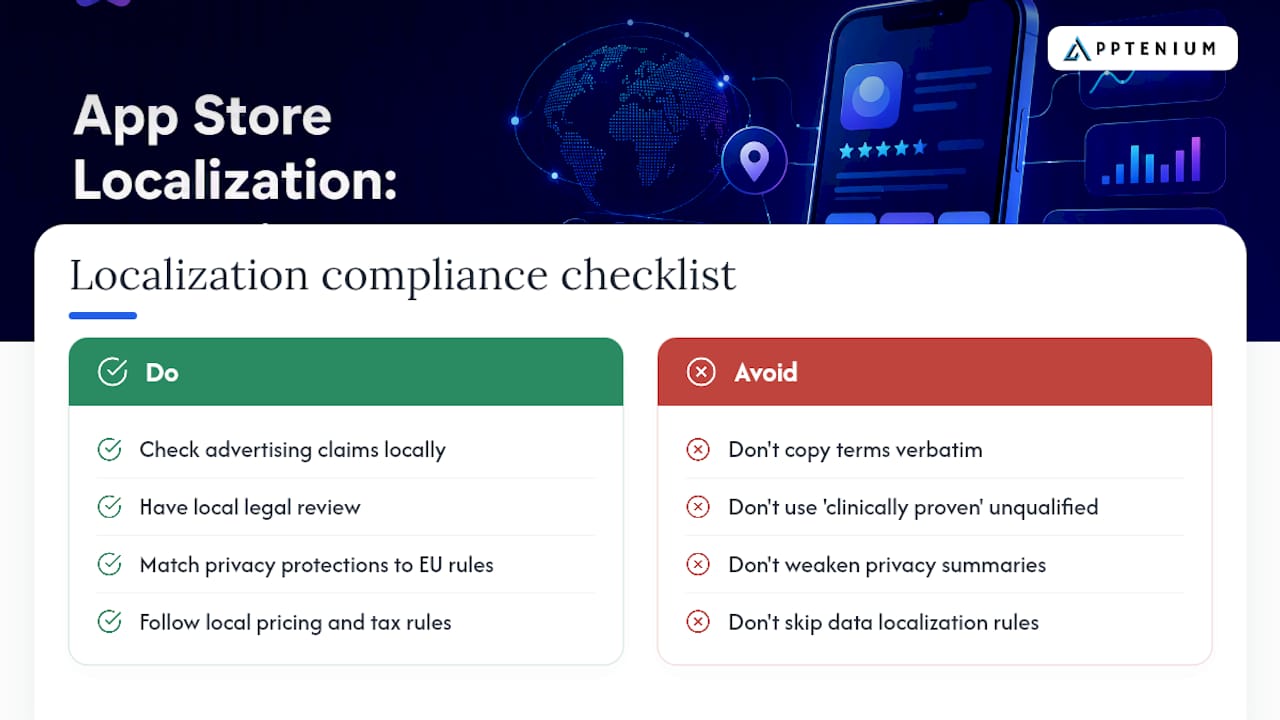
Advertising claims that pass review in one country can violate consumer protection law elsewhere. A health or fitness app that says “clinically proven” in its English description may need to drop or qualify that claim in markets with stricter advertising standards, since medical and wellness marketing regulation varies significantly by country.
Privacy disclosures deserve particular attention. If your app processes personal data from users in the European Union, your localized privacy summaries and in-app consent flows need to reflect the same substantive protections as your English version, not a thinner version that happens to be in the local language. The same logic applies to data localization requirements in markets that restrict where user data can be stored or processed.
In-app purchase and subscription terms carry their own regional rules around cancellation rights, trial periods, and mandatory disclosures. Some markets require specific pricing display formats or tax-inclusive pricing that your source-market listing may not show at all.
None of this means avoiding new markets. It means routing your localized legal and compliance text through someone familiar with that jurisdiction rather than translating your existing terms verbatim. A translator can adapt language; only local legal review can confirm the substance still holds up.
A Quick Personal Checklist for Every Localization Launch
The biggest recurring win isn’t better translation, it’s treating keyword research as a per-market exercise from the start. Three things I insist on every time: a real semantic core before any translation begins, native speaker review on every screenshot caption, and a four-week measurement window before judging a pilot market a failure.
— Mike
Localized app store metadata converts better when the keywords behind it come from local search behavior, not a translated word list.
PointDetailsStart with 2-3 pilot localesTest demand and friction before committing to a full multilingual rollout.Build a fresh semantic core per localeSkip direct translation of keywords; research local search intent from scratch.Match keywords to platform fieldsFront-load iOS title, subtitle, and keyword field; weave terms into Android’s indexed descriptions.Measure for several weeks before scalingTrack installs per view, tap-through rate, and retention by locale before expanding.Use Apptenium to operationalize scansApptenium’s ASO scanning and keyword suggestions by locale help catch metadata issues before publish.
Get Faster, Clearer Localization Data With Apptenium
Apptenium gives you one dashboard for the keyword research, metadata checks, and performance tracking this guide walks through, instead of stitching together a keyword tracker, a spreadsheet, and separate analytics logins for every locale you launch. That matters most once you’re running three or four pilot markets at once and need to compare impressions, tap-through, and retention side by side without exporting data from four different places.

The platform’s ASO scanning and keyword tracking features surface metadata issues by locale, and its integrations with Firebase and Google Analytics tie your localized listing changes directly to install and revenue numbers per market. If you’re still in the research phase, run your current listing through the free ASO Scanner to see what needs fixing before you spend translation budget. For a full picture of pricing and features against what SMBs typically compare, check Apptenium’s plan details and start your first scan today.
Sources
FAQ
What Is App Store Localization?
App store localization is the process of adapting your app’s title, description, keywords, screenshots, and other listing elements to match the language and cultural expectations of a specific market, going beyond direct translation to reflect local search behavior.
How Do I Change My App Store Localization Settings?
In App Store Connect, open your app’s information page, add or edit a localization under the localizations section, and update the name, subtitle, keyword field, and description for that language before submitting for review.
How Do I Check My App Store Country and Region?
On an iPhone or iPad, go to Settings, tap your Apple ID, then Media & Purchases, and View Account to see your current App Store country and region setting.
What Is App Localization and How Does It Work?
App localization adapts both the store listing and the in-app experience, including strings, layouts, and currency, to a target locale, using platform tools like Xcode string catalogs on iOS and resource directories on Android to manage the translated content.
Should I Use Human or Machine Translation for My App Listing?
Machine translation through Play Console offers instant, free coverage, while human translation costs as little as $0.07 per word and typically produces more natural results, so it’s worth pairing machine drafts with a human review pass for markets you’re prioritizing.