ASO for Indie Developers: A Practical Playbook
ASO for Indie Developers: A Practical Playbook
App store optimization (ASO) is the work of shaping your listing so the App Store and Google Play show your app for the right searches, and so more of those visitors install it. For an indie developer it is the cheapest growth channel there is, but only if you run it as a routine: research keywords, write the listing, test the visuals, and measure what changed. Apptenium puts the scanning, keyword tracking, competitor monitoring and performance data in one place, so a one-person team can run that routine without juggling five dashboards.
TL;DR
- ASO has two jobs: rank for relevant searches and convert store-page visitors into installs. Fix both, in that order of effort.
- Apple’s keyword field holds 100 characters in total, so every term you choose must earn its place.
- Change one thing at a time and watch impressions, conversion rate and downloads, so you know what worked.
- Ratings, reviews and localization feed rankings too, and they compound over weeks, not days.
- A small, consistent weekly routine beats a big one-off rewrite.
Table of Contents
- What ASO means when you work alone
- Start with keyword research that fits your app
- Write a listing that ranks and persuades
- Ratings, reviews and localization
- Test your icon and screenshots
- Measure what changed
- A weekly routine that fits a solo schedule
- Why one platform beats a pile of tabs
- Start free, upgrade when the routine sticks
- FAQ
- Sources
What ASO means when you work alone
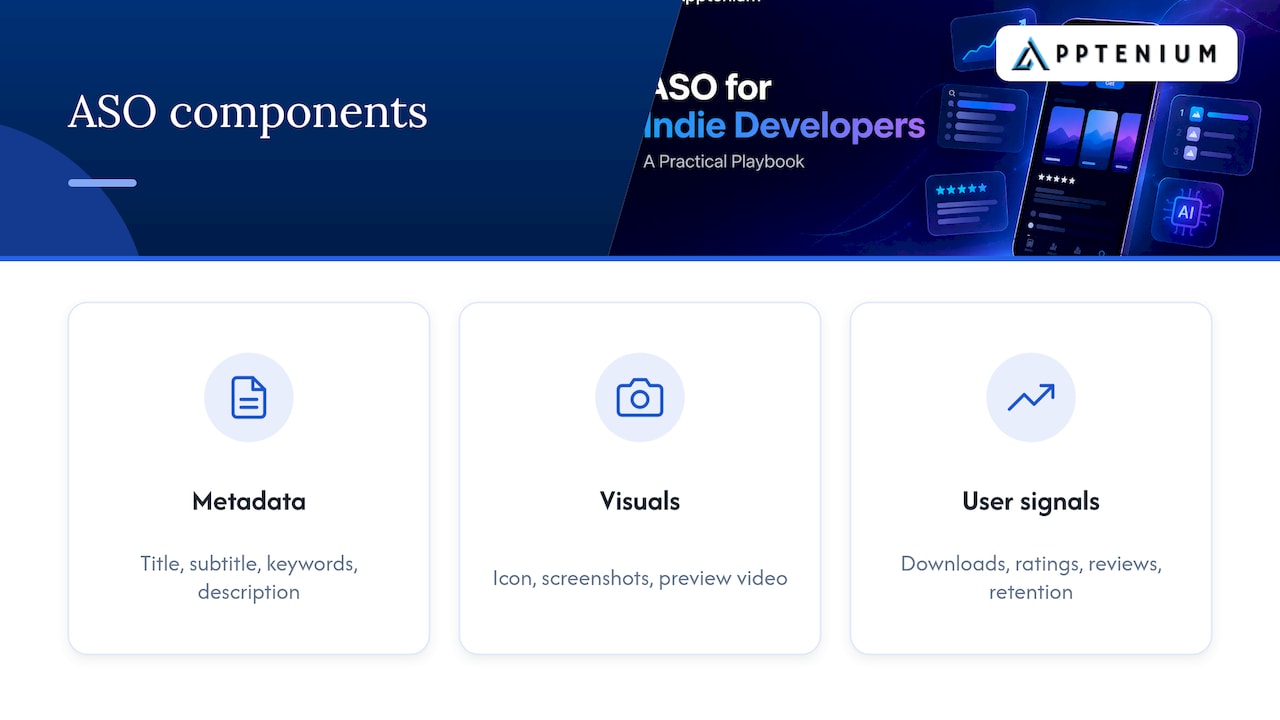
ASO optimizes your app’s metadata (title, subtitle, keywords, description) and visual assets (icon, screenshots, preview video) so the app ranks higher for relevant searches and converts more visitors into installs. It resembles web SEO, but the stores use their own ranking factors and lean heavily on user behavior. Apple says App Store search considers text relevance, including your title, subtitle, keywords and primary category, as well as signals such as downloads, ratings and reviews.
That has a practical consequence for you. Some levers are fully in your hands: the words you write and the images you upload. Others, such as ratings, download velocity and retention, build up from how people actually use the app. Good ASO pulls the first set as far as it can and supports the second.
Indie teams have one real advantage here. You can change a subtitle on Tuesday, see the effect by the following week, and never wait for a committee. The disadvantage is time. You need a short list of tasks that matter, which is what the rest of this guide provides.
Start with keyword research that fits your app
Keyword research answers one question: what would a person type when they have the problem your app solves? Begin there, not with a tool.
- Write the problem in the user’s words. “Track my water intake” beats “hydration optimization platform.”
- List features and use cases. Each one is a candidate phrase.
- Look at your category and nearest rivals. See which terms appear in their titles and subtitles.
- Score candidates on relevance, likely search volume and difficulty. A term nobody searches is useless, and a term dominated by giants is a poor bet for a new app.
- Keep a backlog. Metadata space is limited, so promising terms wait their turn. Treat the list as a living document you revisit as results come in, the same discipline described in this keyword backlog workflow.
Favor long-tail phrases first
Short, popular terms are crowded. Longer, more specific phrases are easier to rank for and tend to attract people who know what they want. Our guide to long-tail app keywords shows how to find and use them. If you want to see where rivals rank and you do not, an ASO keyword gap analysis turns that comparison into a concrete to-do list.
Respect the keyword field rules
Apple’s product page guidance sets a 100-character total limit for the keyword field. Use commas between terms with no spaces after them, and avoid duplicates, generic terms, irrelevant terms, competitor names and trademarks you have no right to use. Words already in your title and subtitle do not need repeating in the field, which frees space for new phrases. For the details, see how keyword indexation on iOS works, what stop words to cut, and the rules on trademark keywords. A rejected update costs an indie far more than it costs a big team, so read the metadata policy for Apple and Google before you submit.
One more Apple detail: promotional text does not affect search ranking, so use it to speak to people, not to stuff in keywords.
Keep it organized with a map
Once you have a shortlist, assign each keyword to a field. A simple keyword mapping table stops you from repeating a word in three places and wasting characters. A typical map has three columns: the keyword, where it lives (title, subtitle or keyword field), and the date you last checked its rank.
Write a listing that ranks and persuades
Title
Apple recommends a simple, memorable, distinctive name. Google Play likewise recommends a distinctive, focused title and warns against keyword spam and excessive decorative characters. A good title carries your brand plus one strong descriptive phrase. Our walkthrough on app title optimization covers the patterns that work and the ones that read as spam.
Subtitle and keyword field
The subtitle is a second line of ranking text and a second line of persuasion. Write it as a short benefit statement a human would read happily, then check that it also holds a high-value keyword.
Description
Apple recommends an informative description whose opening sentence communicates the app’s distinctive value, and it says not to insert unnecessary keywords into the description to influence search. Write for the person deciding whether to tap Install. On Google Play, the description is user-oriented text that supports relevance, so keep it natural and focused.
Writing short store copy takes practice. If you want a starting point, our guide to 80 and 250 character AI prompts for app descriptions gives you prompt structures, and the guide on verifying AI keyword suggestions shows how to check what an AI proposes before you ship it.
Icon and screenshots
Screenshots should show the essence of the app and its benefits, in the first two or three frames especially, because most visitors never scroll further. Google Play also recommends quality screenshots with alt text for each one. Treat the icon as your smallest billboard: one clear shape, high contrast, readable at thumbnail size. Our free icon generator, part of the free ASO tools, helps you explore options quickly.
Ratings, reviews and localization
Apple says ratings and reviews appear on product pages and in search results and can influence App Store search ranking. Google Play’s documentation says discovery reflects listing relevance and user experience, including ratings, reviews, downloads and other signals.
So ask for reviews the right way. Apple’s App Review Guidelines require developers to use Apple’s provided review-prompt API and prohibit manipulating ratings, reviews, search, charts or referrals. Trigger the prompt after a moment of success, such as a completed workout or an exported file, not at launch. Reply to reviews on Google Play, where Google advises responding to feedback and improving the user experience.
Localize where it pays
Localizing descriptions, keywords, screenshots and names for the markets you serve is one of the few ways a solo developer multiplies reach without building anything new. Google notes that professional translation can improve worldwide discovery, and that it may machine-translate listings if you do not supply your own. Start with two or three markets where you already see installs. Adapt wording and visuals to the local culture rather than translating literally, and only add a market when you can maintain its metadata.
Test your icon and screenshots
Guessing which screenshot converts better is the most common mistake in indie ASO. Apple’s Product Page Optimization lets you compare icons, screenshots and app previews. A test can include up to three treatments and run for up to 90 days, and results show conversion rate and confidence information in App Analytics. Apple recommends waiting until a treatment is reported better or worse than the baseline with at least 90% confidence before you apply it or stop the test, where practical.
Follow a few rules:
- Test one variable. Change the first screenshot, not the whole set.
- Write a hypothesis first. “Showing the result screen first will raise conversion” is testable.
- Let it run. Low-traffic apps need more time, which is why a long window matters.
- Record the outcome, win or lose, in the same sheet as your keyword map.
Google Play lets you create up to 50 custom store listings tailored by country, user state or search keyword, which is useful when one audience needs a different message. For the mechanics of reading results, this explanation of measuring product page conversion is a good companion, and our guide to App Store A/B testing shows how to run tests that lift installs.
Measure what changed
ASO without measurement is decoration. Apple recommends monitoring impressions, conversion rate, downloads and source type in App Analytics to understand the effects of metadata changes. On Google Play, Store Listing metrics show how visitors move from viewing your listing to installing and opening the app.
A simple reading of those numbers:
| Signal | What it tells you | If it moves |
|---|---|---|
| Impressions | How often you appear in search and browse | Keywords and rank changed |
| Product page conversion | How persuasive your listing is | Icon, screenshots and copy changed |
| Downloads by source | Where installs come from | Search vs. browse vs. referral mix shifted |
| Keyword rank | Position for each target term | Metadata or competition changed |
If impressions rise but conversion falls, you are reaching less relevant people or your visuals are weaker than your reach. If conversion rises but impressions are flat, your listing is good and your keywords need work. Use our framework for measuring ASO impact and the list of ASO reporting metrics to decide what belongs on your weekly sheet.
How often should you check ranks? Daily checks mostly show noise. A steady weekly rhythm is enough for most indies, and our piece on keyword tracking cadence explains how to set it.
A weekly routine that fits a solo schedule
Here is a routine that takes about an hour once it is set up.
- Monday: review. Look at impressions, conversion and downloads from the previous week.
- Check ranks for your ten to twenty target keywords and note movement.
- Scan rivals. See whether anyone changed a title, subtitle or screenshots. A competitor tracking checklist keeps this quick.
- Pick one change. One keyword swap, one screenshot, one description edit.
- Log it with the date, so you can connect cause and effect later.
- Revisit the backlog once a month and promote the strongest candidates.
If you also buy ads, a four-step Apple Search Ads ASO workflow shows how paid search data can sharpen your organic keyword choices. And if you sell subscriptions, ASO for subscription apps covers how to rank, convert and retain.
Why one platform beats a pile of tabs
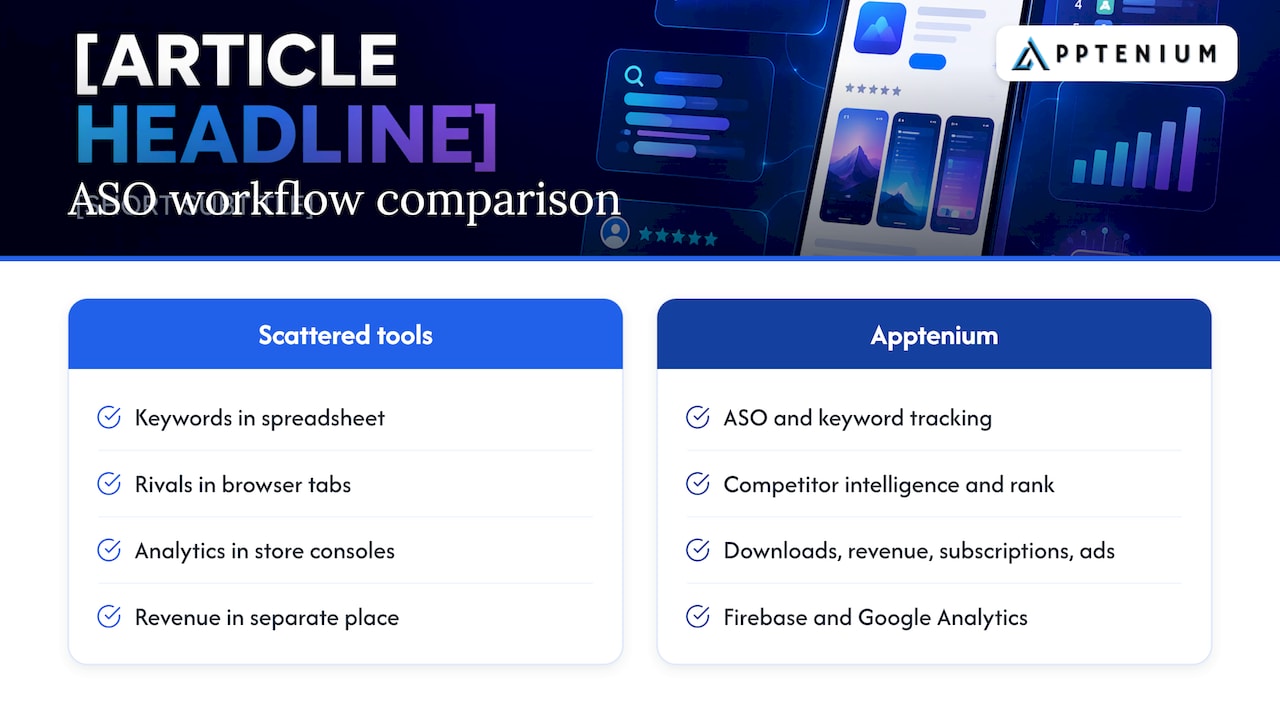
Most indie developers end up with a spreadsheet for keywords, a browser tab for rivals, the store consoles for analytics and a separate place for revenue. Each switch costs minutes, and the data never sits side by side. That fragmentation is the real tax on a solo team: you spend the hour collecting numbers instead of acting on them.
Apptenium is built to remove that. It combines ASO scanning, keyword tracking, competitor intelligence, search rank analysis and app performance reporting for downloads, revenue, subscriptions and ad monetization. It integrates with Firebase and Google Analytics, so listing work and business results sit in the same view. Each scan produces AI-powered recommendations with copy-ready fixes, so you move from diagnosis to a rewritten field in one sitting. Our competitor intelligence page shows how rival changes are monitored without extra tabs.
Our view
We built Apptenium around a simple observation: the hard part of ASO for a small team is not knowing what to do, it is having the time and the unified data to do it every week. Keyword rank without installs tells half the story. Installs without revenue tell even less. When listing changes, rank movement, rival updates and monetization data live in one place, a solo developer can make the same quality of decision a larger team makes, in a fraction of the time.
That is why every scan ends in practical, copy-ready fixes rather than a report to interpret, and why we keep pricing simple enough for an indie budget. You should be able to start free, prove that the routine works for your app, and only then decide whether to go further.
Mike
Start free, upgrade when the routine sticks
Apptenium has a Free plan with a limited number of scans per month, which is enough to run your first audit and build your keyword list. The Pro plan costs $9.99 per month and adds unlimited scans and premium features, for when you are tracking keywords and rivals every week. You can try the free ASO tools first, then compare plans on the pricing page.
If you want a structured starting point before you open the tool, the audit-first ASO checklist walks you through the listing fields in order.
FAQ
What is the difference between ASO and SEO?
SEO optimizes web pages for search engines, while ASO optimizes an app listing for the App Store and Google Play. The stores use different ranking factors, and Apple states that user behavior such as downloads, ratings and reviews sits alongside text relevance. ASO also puts more weight on conversion: the icon and screenshots decide whether a search impression becomes an install.
How long does ASO take to show results?
Metadata changes can shift rankings within days or weeks, but signals like ratings, review volume and retention accumulate over longer periods. Apple’s own testing tool can run for up to 90 days, which gives a sense of the timescale for visual changes. Make one change at a time and review results weekly, so each effect is clear.
Do I need a paid tool to do ASO?
The store consoles give you analytics and testing at no extra cost, and you can start with our free tools to scan a listing. A paid plan makes sense once you track keywords and rivals regularly. Apptenium Pro is $9.99 per month and adds unlimited scans and premium features.
Which store should I optimize first?
Start with the store where most of your installs already come from, then apply what you learn to the other. The ideas carry over, but the details differ: Apple has a 100-character keyword field, while Google Play reads your title and description for relevance and warns against keyword spam.
Sources
- App Store search, Apple Developer
- Creating Your Product Page, Apple Developer
- Product Page Optimization, Apple Developer
- App Review Guidelines, Apple Developer
- Get discovered on Google Play search, Play Console Help
- How to automate keyword research
- Product page conversion: how to measure and raise it